Focus Firewall has always had numbers. The menu bar shows how long you’ve been focused today and how many sites it blocked. The main window used to go further, with things like total time on social media today, and ever. Tangentially interesting, in the way a step counter is interesting. Useless for the actual job.
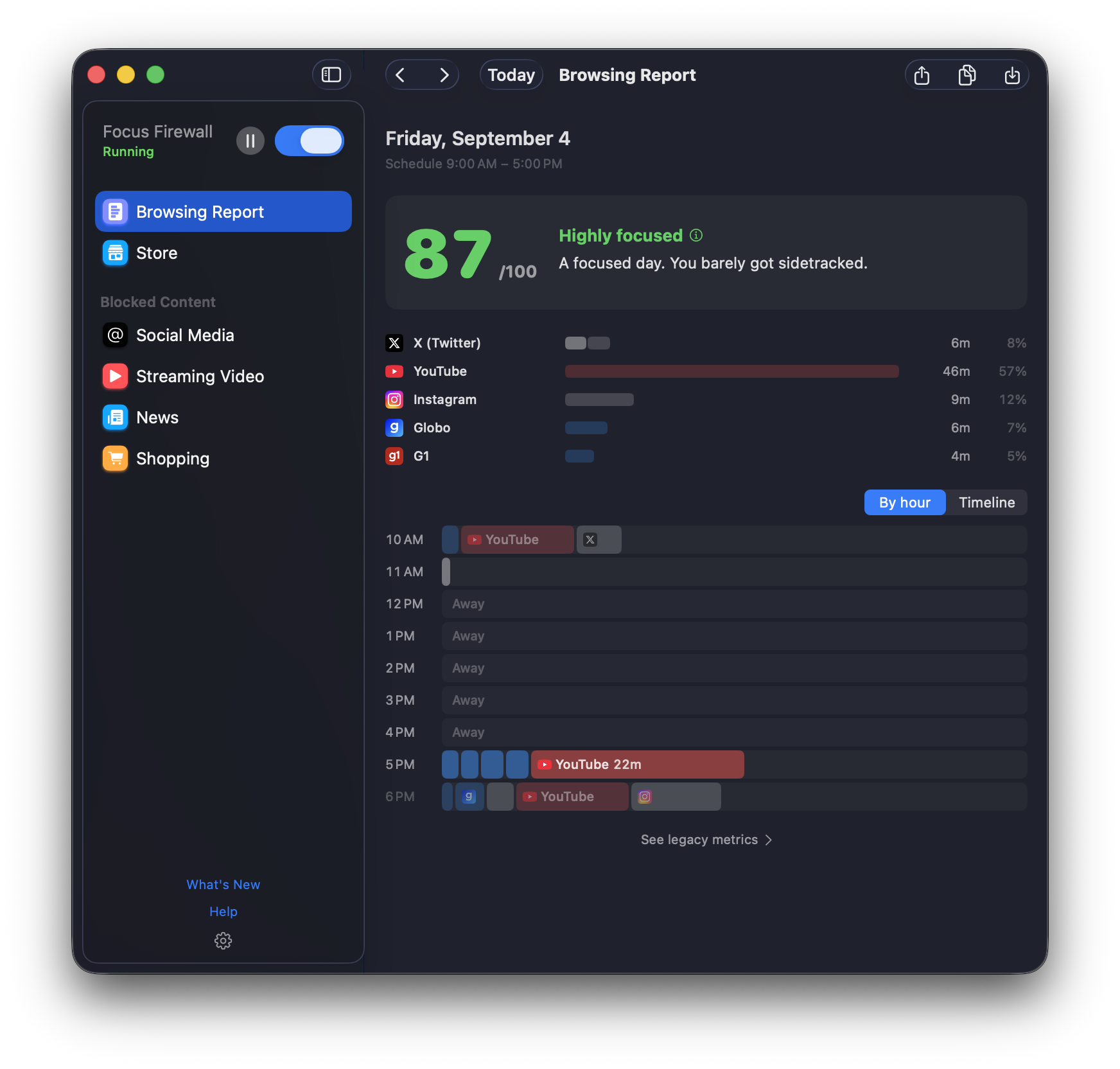
The job is to keep you from spiraling, and over time to leave you with better browsing habits than you started with. You can’t do that on a lifetime total. You need to know what happened today, and more specifically which part went wrong, so you can see it and start fixing it. So with 1.2.6 the vanity metrics step aside, and there’s a Browsing Report instead.
The score is not a target
Here’s the thing I want to be really clear about, because a lot of productivity tools get this wrong: the score is not there to be maxed.
A 100 means you did not touch a blocked site outside your breaks. Nobody does that for more than a couple of days, and the people who try tend to blow up spectacularly on day three. That’s a diet, and diets end the same way.
So we scored it the way we actually think a good day looks. Hit pause, go read the news for ten minutes, come back. That costs you nothing. Browsing while paused is intentional browsing, and intentional is the whole point of this app, so every day comes with a break budget: five minutes for each hour on your schedule, which is forty minutes on a regular workday. Spend it however you like. Run past it and the rest counts like any other browsing. Blocked attempts show up on the scorecard as wins. They don’t move the number, but they do tell you the system was earning its keep. What drags the score down is the other kind: the twenty minutes on Reddit that nobody decided on, in the middle of your schedule, while the doc sat there half-written.
Note what the report leaves out: everything that’s working. It only watches sites on your blocklist. The docs you read for work, the lecture you streamed for a class, none of that shows up, because reporting on it would be noise. The report is about the part of your day that tends to go sideways, and nothing else.
That’s the score. Planned browsing is fine. Drifting is what costs you. A high number means the day went roughly the way you meant it to, slips and all. A low one shows you the hour where it didn’t.
What it’s for
The report is one more layer in the safety net, next to the schedule and the pause button. The blocker stops the spiral while it’s happening. The report shows you the next morning where it started, and after a week you’ll know your own pattern better than any app could tell you.
It also cuts you some slack. There are good days and bad days, and a run of scores like 71, 98, 62, 31, 73, 82, 85 is a perfectly fine week. The 31 is not a failure. It’s the day the tool was looking out for you, and the 73 after it is the point.
Everything stays on your Mac. It’s off until you switch it on, and nothing leaves the machine. We don’t get a copy. Nobody does, unless you hit share.
1.2.6 also brings Spanish, French, German and Japanese, plus the usual fixes. Full list on the changelog.
Turn it on and leave it alone for a week. You can’t fix what you refuse to look at.